Free on the Chrome Web Store
Your job search co-pilot.
Job hunting is mostly admin: re-reading listings you've already seen, typing the same details into every form, and digging through your inbox to see where each application stands. Splander Jobs takes that work off your hands, so you spend your time applying.
Works without an account · Free sync when you sign in · English and Hebrew
Less admin
Save hours on every job search
Spend your time applying, not on admin.
Stop re-reading jobs
A status pill on every job card shows what you've already applied to, saved or ignored, right on the job board.
Learn more about stop re-reading jobsFocus on the jobs that fit
Before you apply, see how your CV matches the role: the required skills you have and the ones you're missing.
Learn more about focus on the jobs that fitFill the form once
Autofill puts your name, email, phone, profile links and CV into application forms. By default it fills the form and waits for you to review and submit.
Learn more about fill the form onceYour inbox updates your tracker
Connect Gmail if you choose to. It's optional and read-only. Replies from recruiters and application systems move each application forward on their own. Emails are read on your device, and the emails themselves never leave it.
Learn more about your inbox updates your tracker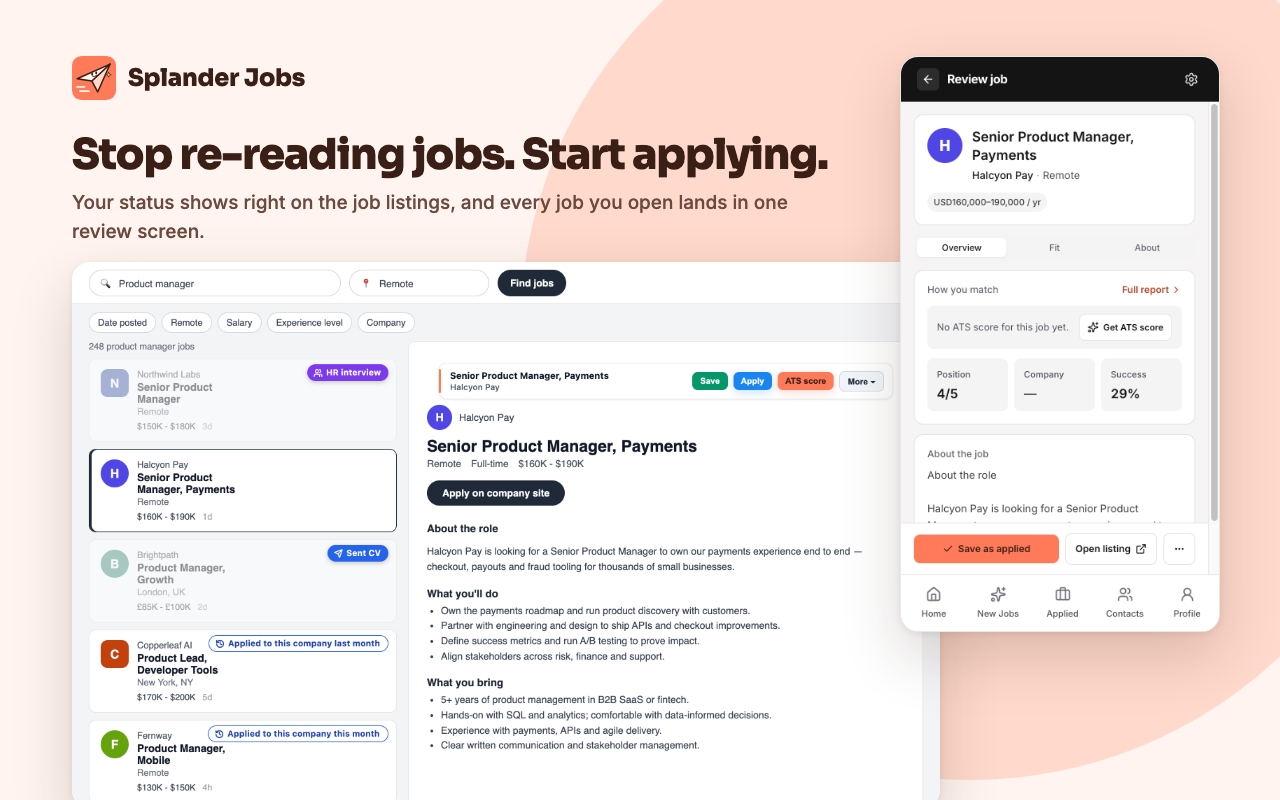
More applications
Send more CVs, get to the right job sooner
Every application is another chance. With the admin gone, you can send more of them.

Hit your daily CV goal
Set a daily target and keep your streak going.
Learn more about daily CV goalsSee what's working
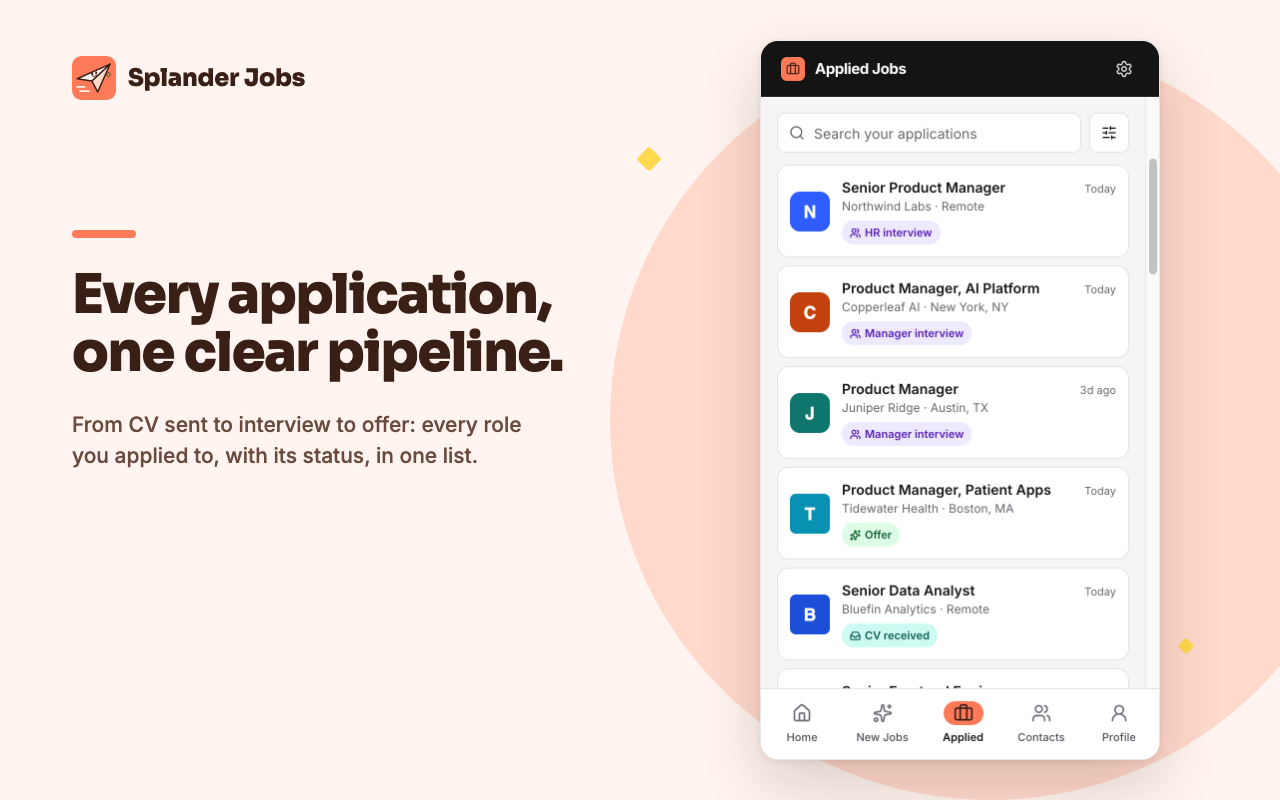
A clear pipeline shows every application and where it stands, from Sent CV to Offer.
Learn more about see what's workingNever lose track
Every job you save keeps its details, notes, salary terms and a full history of status changes.
Learn more about never lose trackKeep your contacts in one place
Track the recruiters you talk to and draft follow-up messages from your own templates.
Learn more about keep your contacts in one placePick the right CV for each job
Keep up to 10 CVs and choose which one goes to which kind of role.
Learn more about pick the right cv for each job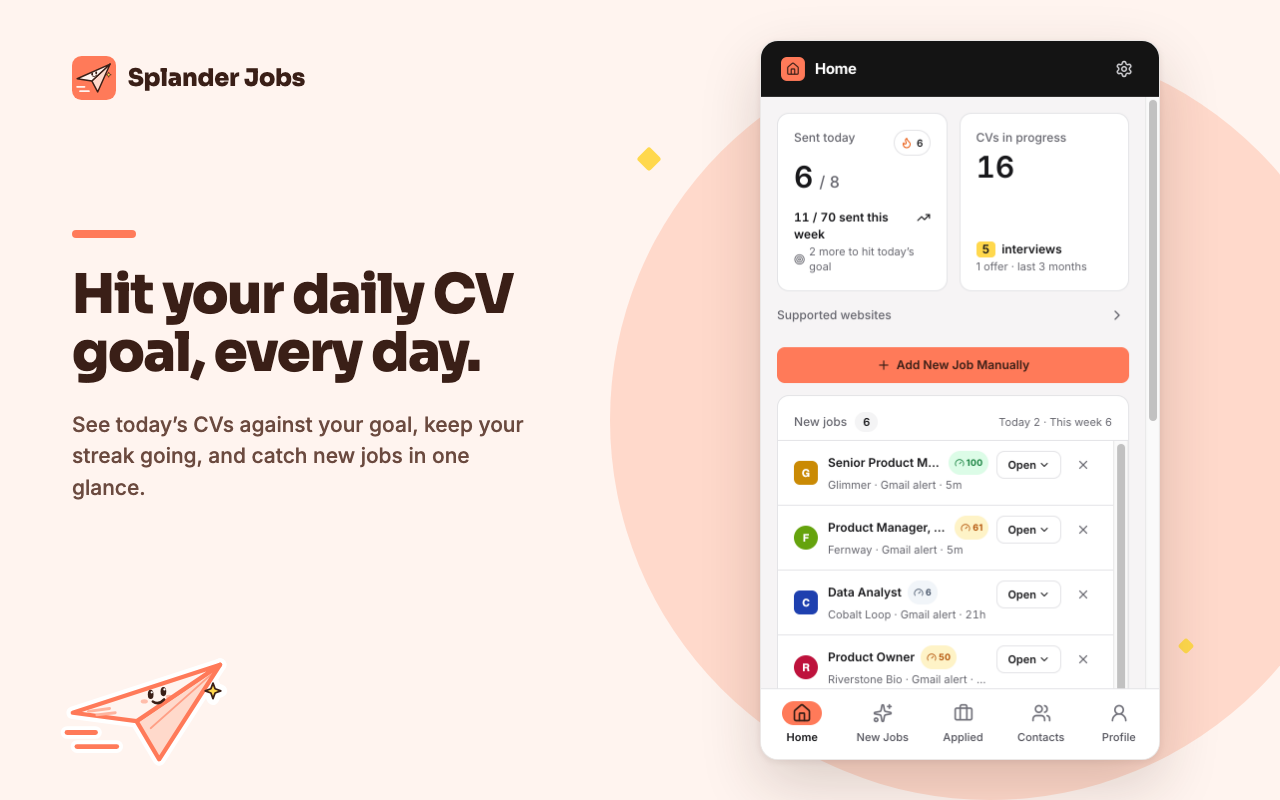
Works where you search
Splander Jobs works on LinkedIn, Indeed, Glassdoor, AllJobs, JobNet, JobFox and Jobify. It also autofills application forms on common applicant-tracking systems. The interface is available in English and Hebrew.
- Indeed
- Glassdoor
- AllJobs
- JobNet
- JobFox
- Jobify
How it works
Three steps to start
-
Step 1: Install and open the side panel.
Add Splander Jobs from the Chrome Web Store. You don't need an account.
-
Step 2: Browse jobs as usual.
Every job card shows its status. Click a job to open it in the side panel with everything you need to decide.
-
Step 3: Save the jobs you apply to.
Splander Jobs keeps each one up to date, on its own or with a click from you.
Free and private by default.
Your job search stays in your browser unless you sign in to sync.
Works without an account
Start tracking the moment you install. Everything you track is saved on your own device.
Signing in is optional
Sign in to turn on free cloud sync across your devices. You can turn sync off in Settings at any time.
Gmail is your choice
You choose to connect it, and it's read-only. Emails are read on your device and never uploaded. If you sync, only the result syncs: company, title and status.
No ads, no selling
We never sell or share your data, and there are no ad or tracking scripts.

Your job search co-pilot.
Less admin, more applications. Free, and private by default.